


Electronic Invoicing
To use Tompkins electronic invoicing, you must have both a credit account with Tompkins Industries, and an account for www.tompkinsind.com.
If you have an account with Tompkins, create an online account. You will need your six-digit Customer ID. Your customer ID can be found on Tompkins paperwork or you can call us at 800-255-1008 to get the number. To register on our website,
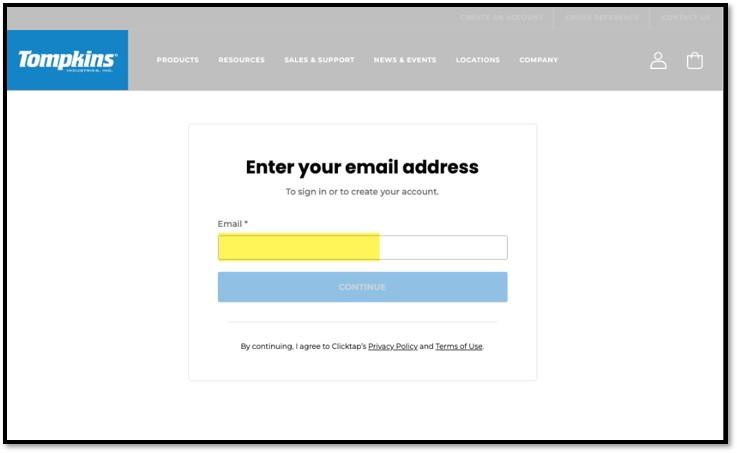
Input your e-mail address you want to use in the Email field.
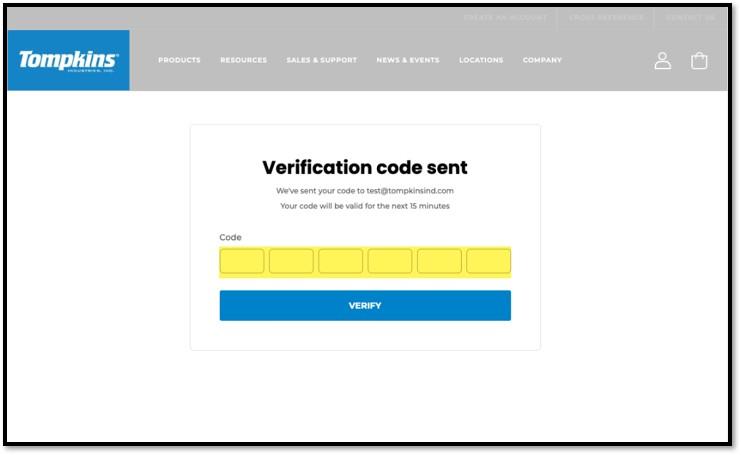
Key in the 6-digit verification code that comes into your e-mail inbox. If after a minute you do not see the e-mail, check your spam or junk folder.
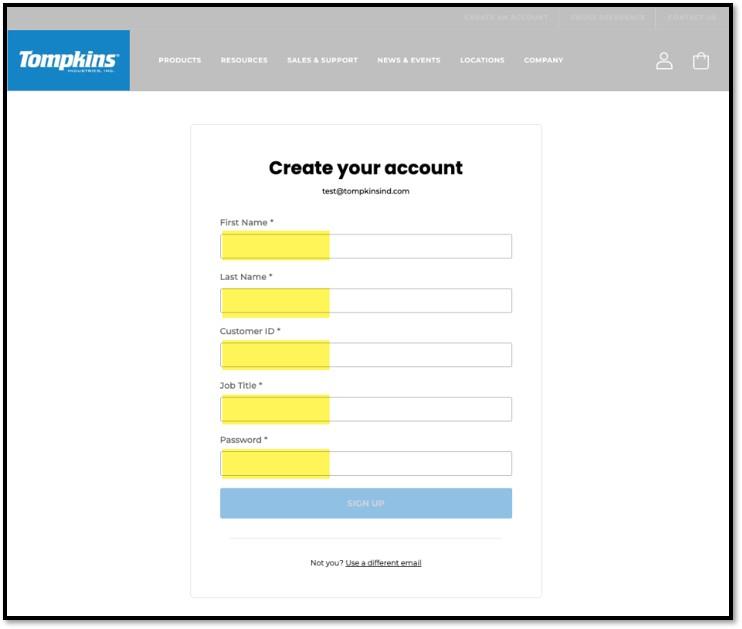
Fill in all the fields on the Create your account page and click the SIGN UP button.
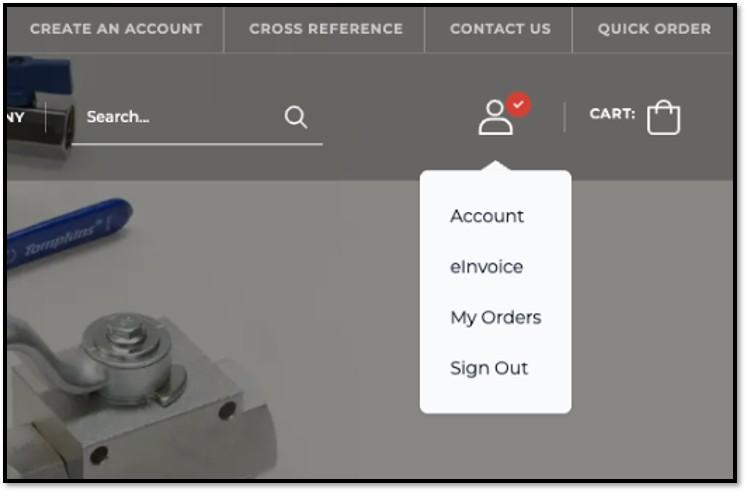
If you have an account, you can opt to have your invoices and statements provided for download directly from the web, rather than by fax and / or email. To do so, in the upper-right corner of the screen, hover over the user icon and click on eInvoice.
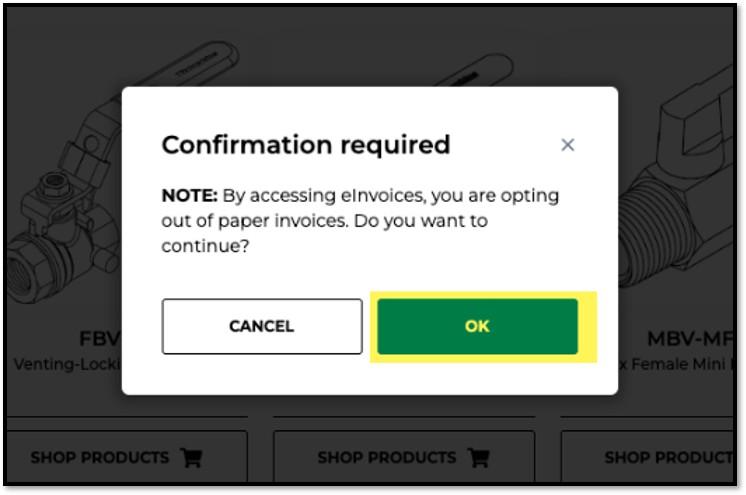
You will be prompted to confirm that you wish to switch to e-Invoicing. Once you confirm (by clicking OK), you will have 24/7 access to review, print and pay bills online.
Enable Cookies
Our website uses cookies, pixels, and similar technology (“Cookies”) to improve your online experience. By clicking “Accept All,” you consent to our use of all Cookies to personalize your experience, serve targeted advertisements, perform analytics, and for other business purposes. You may block some Cookies by clicking “Reject,” or change your cookie settings by clicking “Preferences.”
By using our website, you acknowledge this notice, and by clicking “Accept All,” “Reject,” or “Preferences,” you agree to our Website Terms of Use. See our Cookie Notice and Privacy Policy to learn more.